
SIG CONNECT
Sig Sauer Application DevelopmentLifestyle
4.462.00 Reviews
- Version
- 4.2.76
- Installs
- 50.00K
- Age Rating
- Mature 17+
Screenshots
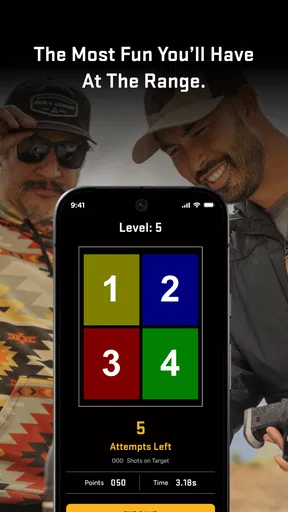
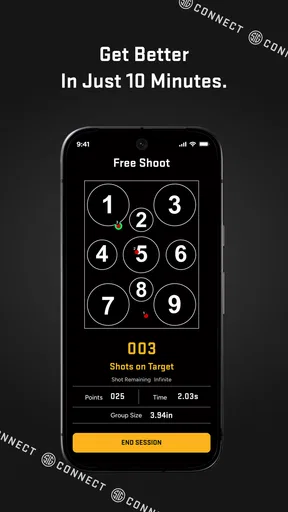
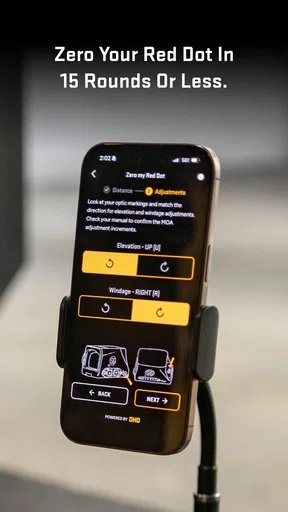
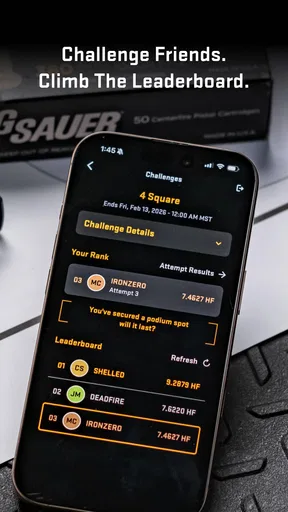
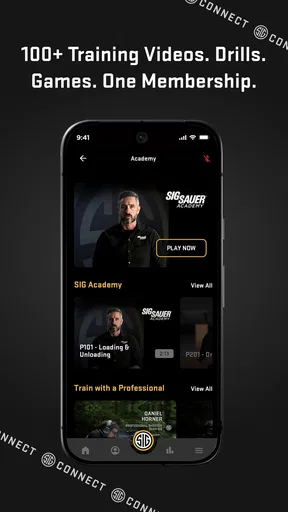
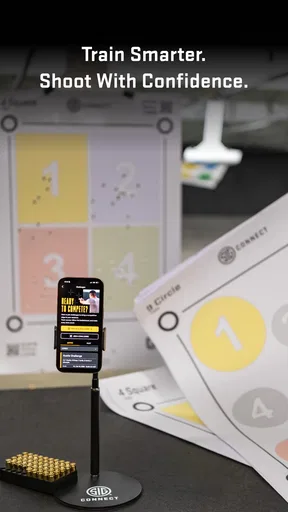
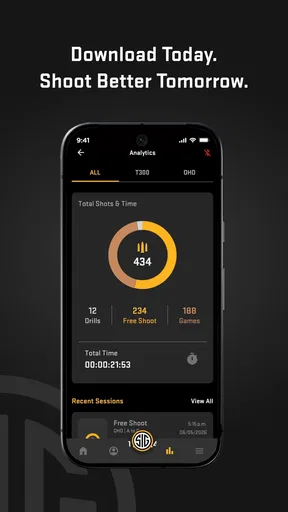
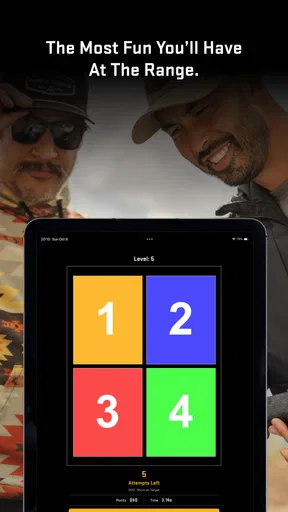
Our Review of SIG CONNECT
 Analysis by Appyee
I came away from SIG CONNECT with the impression that it is most useful when treated as a companion for purposeful range sessions rather than as a complete replacement for coaching, practice planning, or a paper notebook. It is a free lifestyle app from Sig Sauer Application Development, aimed at people who want to make range time more engaging while keeping an eye on personal progress. The idea is simple, but the value depends heavily on how consistently you use it and whether you enjoy turning practice into something you can review later.
That focus gives the app a clear identity. It is not trying to be a general fitness tracker, a social network, or a broad collection of shooting education. Instead, it sits between a practice aid and a light game-like tool. The mature seventeen-plus rating also makes sense for its subject matter. I would recommend approaching it as a responsible training companion, using it only in appropriate environments and alongside safe handling habits, supervision where needed, and proper instruction.
How SIG CONNECT fits into a real range routine
The most convincing way to use this app is before, during, and after a session. Before leaving home, I would decide what I actually want to improve instead of opening the app without a plan. That might mean working on consistency, concentrating on a particular type of drill, or simply making a familiar practice session less repetitive. The game-oriented elements can help give a session a little structure, but they work best when they support a goal rather than become the goal themselves.
At the range, the app’s appeal is its sense of active participation. A normal session can easily turn into a loose sequence of shots with no clear way to remember what felt better or worse. A tool built around games and progress gives me a reason to pay attention to the session as a whole. Even when the entertainment layer is modest, it can encourage me to stay engaged instead of treating practice as a chore.
Afterward, progress tracking becomes more important than the immediate novelty. The useful question is not whether I had one unusually good attempt, but whether my results and habits are becoming more consistent over time. I would use the app as a prompt to reflect: what did I practice, what felt difficult, and what should I repeat next time? That kind of review is more valuable than chasing a single impressive result.
A realistic example would be someone who visits the range after work and has only a limited amount of time. Rather than improvising, they could choose one narrow objective, use the app’s activity-oriented approach to keep the session focused, and then check their progress afterward. The benefit is not that the app magically improves technique. The benefit is that it can make a short session feel more deliberate and easier to remember.
Where the game approach helps
Many practice tools feel serious to the point of being dull. SIG CONNECT takes a different route by adding a playful layer. In my experience, that can lower the barrier to starting a session, especially for someone who already enjoys challenges, personal targets, or visible progress. It also gives experienced users another way to keep routine practice from becoming stale.
The important trade-off is motivation versus distraction. A score, challenge, or progress marker can encourage concentration, but it can also tempt users to rush or focus on winning rather than practicing well. I would treat every game element as secondary to safe, controlled technique. If an activity makes me hurry, ignore fundamentals, or continue after concentration has dropped, it has stopped being useful.
This is one of the app’s less obvious strengths: it can help with adherence. A sophisticated training plan is worthless if I do not follow it. A lighter, more enjoyable system may keep some users returning often enough to build a habit. That does not make it a substitute for expert feedback, but regular, thoughtful practice is usually more useful than occasional sessions with no structure.
Progress tracking is most useful when kept honest
The tracking side deserves a disciplined approach. I would avoid recording every session as if it were directly comparable. Conditions, fatigue, equipment, environment, and the purpose of the drill can all change the meaning of a result. A personal best during an easy session should not automatically be treated as a breakthrough, and a poor result on a difficult day should not erase evidence of improvement.
One practical workflow is to use the app to identify patterns rather than obsess over isolated numbers. For example, I might notice that performance drops late in a session, or that a particular type of challenge exposes inconsistency. That observation can guide the next practice plan. The app becomes more valuable when it helps me ask better questions, not when it encourages me to stare at a score.
I would also recommend keeping expectations realistic when first setting it up. A progress system only becomes meaningful after repeated use. If I open it once, complete an activity, and expect a detailed picture of my abilities, I will probably be disappointed. If I return regularly and record sessions in a consistent way, the history has a better chance of showing useful trends.
What the app does better than ordinary alternatives
The usual alternative is a paper notebook or a basic notes application. Those options are flexible and inexpensive, but they require me to create the structure myself. SIG CONNECT is more appealing to someone who wants the practice experience to feel organized without designing a tracking system from scratch. The built-in game-like framing also gives it more energy than a blank page.
A generic fitness tracker is not a close substitute either. Fitness apps are good at steps, workouts, and broad health routines, while this app is tied to range-oriented practice and personal skill development. That narrower purpose is its advantage for the right user. It is less useful if I want one app to manage every part of my life, but more relevant if my main interest is making range sessions engaging and trackable.
On the other hand, a dedicated training log may be better for someone who wants complete control over terminology, detailed notes, equipment records, or a highly customized program. A coach is better when the central need is correcting technique, diagnosing a recurring problem, or building a safe progression. SIG CONNECT can support those approaches, but it should not be mistaken for them.
Limitations that affect the recommendation
The biggest weakness is that entertainment and measurement can create a false sense of progress. An app can show activity and improvement within its own system, but that does not automatically mean a user’s real-world technique is improving in every situation. I would be cautious about treating an in-app result as a complete assessment, especially if the activity encourages speed or competition.
There is also a commitment cost. To get meaningful value, I need to use the app repeatedly and honestly. That may sound obvious, but it separates a useful companion from a novelty. Someone who visits a range rarely, dislikes tracking, or prefers completely spontaneous practice may find the extra interaction unnecessary. In that case, a simple notebook could be faster and less distracting.
The app’s pricing model also deserves attention. The download is free, while optional in-app purchases range from around ten dollars to around one hundred dollars per item. I would start with the free experience and decide whether the additional content genuinely changes the way I practice before spending anything. Users should be especially careful not to buy an upgrade simply because a progress system makes the next option feel urgent.
That pricing range may suit different levels of commitment, but it also means the word “free” should be understood as an entry point rather than a promise that every part of the experience costs nothing. Anyone who prefers a fully predictable budget should review each purchase screen carefully. For casual users, the free portion may be enough; for frequent users, paid additions could be more tempting.
Another limitation is audience fit. The app is clearly aimed at mature users interested in shooting-related range activities, so it is not an appropriate recommendation for children or for someone looking for a general recreational game. Its subject matter also means that responsible use matters more than with an ordinary lifestyle app. I would never let the app’s playful presentation weaken attention to range rules or safe handling.
Who will get the most from it
I think SIG CONNECT is best for a recreational shooter who wants more structure without turning every visit into a formal lesson. It is also a good match for people who respond well to challenges and visible progress. If I already enjoy logging practice and want something more engaging than a spreadsheet, the app’s combination of activities and tracking is appealing.
It can also work for a person returning to regular practice after a long break. The game-like approach may make the first few sessions feel less intimidating, while the tracking encourages a gradual return rather than an unrealistic attempt to do everything at once. I would still suggest starting conservatively and using qualified instruction if there are questions about technique or safe operation.
It is less suitable for an advanced user seeking a deeply customizable professional log. Someone who needs extensive technical notes, detailed equipment comparisons, or a formal coaching workflow may prefer specialized software or a carefully designed manual system. The same is true for users who dislike gamification. If the idea of turning practice into challenges feels artificial, the app may add friction instead of removing it.
Platform compatibility is another practical consideration. The app requires Android 8.0 or later, so an older device may not be able to run it. On supported hardware, the current release is version 4.2.76. I would check the operating system before planning a session around it, particularly if the app is being installed on an older phone kept for range use.
Its audience appears to be established but not enormous: the app has passed fifty thousand installs, with an average rating of 4.4 from roughly two hundred ratings. Those figures suggest that many users find the concept worthwhile, while also reminding me that it is a focused product rather than a universal lifestyle platform. I would read the rating as encouraging, not as proof that every shooter will enjoy the same workflow.
Small habits that make the app more useful
My first tip is to choose one purpose per session. If I try to chase every challenge, improve every weakness, and set a record at the same time, the tracking becomes noisy. A narrow objective makes the result easier to interpret and keeps the game layer from taking over the practice.
My second tip is to review progress only after cooling down mentally. Immediate excitement can make a result seem more significant than it is. Looking back later helps separate a genuinely useful pattern from a lucky or unusually difficult attempt. This is where the app’s history can become more than a collection of scores.
Third, I would use the app to plan a follow-up rather than end the process at the range. If one activity reveals inconsistency, make that the focus of the next visit. If a challenge becomes easy, increase difficulty only when control and safety remain solid. The key trade-off is between progression and pressure: moving forward is good, but forcing a higher target can undermine the quality of practice.
Finally, I would keep a brief personal note outside the app when something unusual happens, such as fatigue, a change in conditions, or a different practice objective. The app can provide structure, but a short human note preserves context that a score alone cannot. This combination is more informative than relying entirely on either a digital tracker or a notebook.
My final recommendation
SIG CONNECT succeeds because it understands that practice is easier to maintain when it feels engaging. Its strongest qualities are the combination of game-like motivation, range-oriented activities, and progress tracking. Those features make it more inviting than a blank notes app and more relevant than a general fitness tracker for the right audience.
My reservation is equally clear: it should not be used as a stand-in for coaching, technical judgment, or safe range discipline. The app can organize attention and encourage consistency, but it cannot guarantee that a score represents complete skill improvement. Users who enjoy tracking should gain the most; users who want a fully customizable log or dislike gamification may be better served elsewhere.
For me, the best recommendation is conditional but positive. Try the free version if you want to make range time more structured and enjoyable, then judge the experience by whether it helps you practice with better focus. Be cautious with optional purchases, keep safety ahead of any challenge, and review progress as a long-term pattern rather than a daily verdict. Developed by Sig Sauer Application Development, this is a focused lifestyle app with a useful niche, and its real strength is turning intention into a repeatable practice routine.
Verdict
Strengths of SIG CONNECT
- Quick access to SIG-related services and information
- Clean interface that is easy to navigate
- Useful for staying connected while away from a computer
- Centralizes important updates in one mobile app
- Convenient access for users already in the SIG ecosystem
Limitations of SIG CONNECT
- Some features may require an existing SIG account
- Content and tools depend on the user's organization or region
- Notifications may become excessive without careful settings
- Performance can vary on older mobile devices
- Limited usefulness for people outside the SIG community
Similar Picks in This Category
View All
SmartThings
Samsung Electronics Co., Ltd.4.6

Google Home
Google LLC4.0

Pinterest4.2

Astrotalk - Talk to Astrologer
Astrology & Horoscope4.7

My Verizon
Verizon Consumer Group4.5

Samsung Wallet (Samsung Pay)
Samsung Electronics Co., Ltd.4.1
Frequently Asked Questions
What is SIG CONNECT, and what can I use it for?
SIG CONNECT is a communication and information app designed to keep users connected with the services, organization, or community behind it. Depending on the version available in your region, it may provide announcements, messages, updates, notifications, documents, event information, and access to useful resources. Before downloading, check the app listing and official website to confirm that it is intended for your organization or location.
Is SIG CONNECT free to download and use?
SIG CONNECT is generally available to download without an upfront purchase, but some features may depend on your organization, account type, or subscription arrangement. Mobile data charges can still apply when using the app away from Wi-Fi. It is also worth checking whether certain communication, storage, or premium services are managed by the institution providing SIG CONNECT rather than by the app itself.
Do I need an account or invitation to access SIG CONNECT?
Many of the app’s functions may require registration, an existing account, or an invitation from the organization using SIG CONNECT. You might need to provide an email address, phone number, membership detail, or access code during setup. If you cannot sign in, confirm that you are using the correct credentials and contact the relevant administrator, since access may not be open to the general public.
What permissions and personal information does SIG CONNECT request?
During installation or first use, SIG CONNECT may request permissions such as notifications, internet access, camera, files, contacts, or location, depending on the features enabled by its provider. Not every permission is necessarily required for basic use. Review the permissions carefully, allow only what you are comfortable sharing, and read the app’s privacy policy to understand how account information and usage data are handled.
Is SIG CONNECT available on both Android and iPhone, and what should I check before installing?
Availability can vary by country, organization, and operating-system version, so verify the official Google Play Store or Apple App Store listing before downloading. Check the developer name, recent update date, required Android or iOS version, storage requirements, and user reviews. Installing only from an official store helps reduce the risk of downloading an imitation app or an outdated package.
